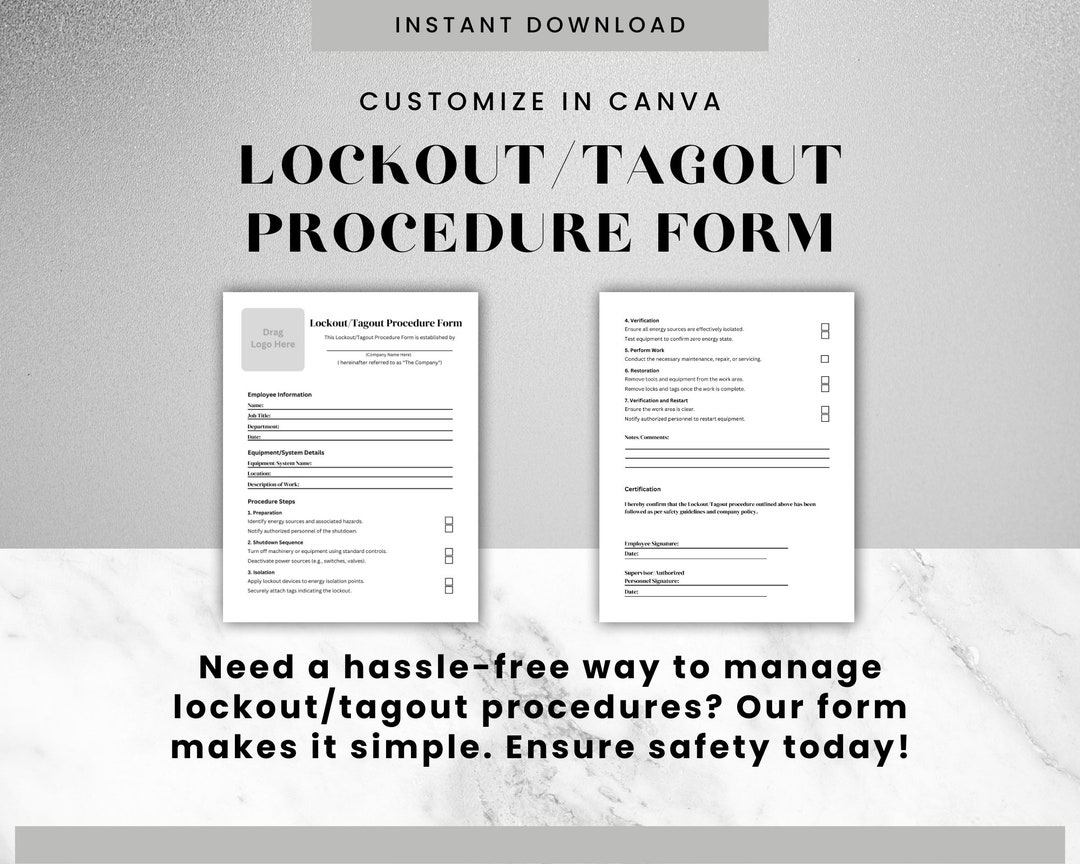
Workers are injured every year during equipment maintenance—not because of complex machinery failures, but because a simple lockout tagout procedure form was skipped, incomplete, or misunderstood. The lockout tagout (LOTO) procedure form is the backbone of an effective energy control program, acting as both a legal safeguard and a daily operational tool to prevent unexpected energization or startup of machinery.
This isn’t just paperwork. A well-designed LOTO form translates safety policy into actionable steps. When done right, it protects employees. When done poorly, it creates a false sense of security—and increases risk.
Here’s how to build, use, and enforce a lockout tagout procedure form that actually works in real-world conditions.
What Is a Lockout Tagout Procedure Form?
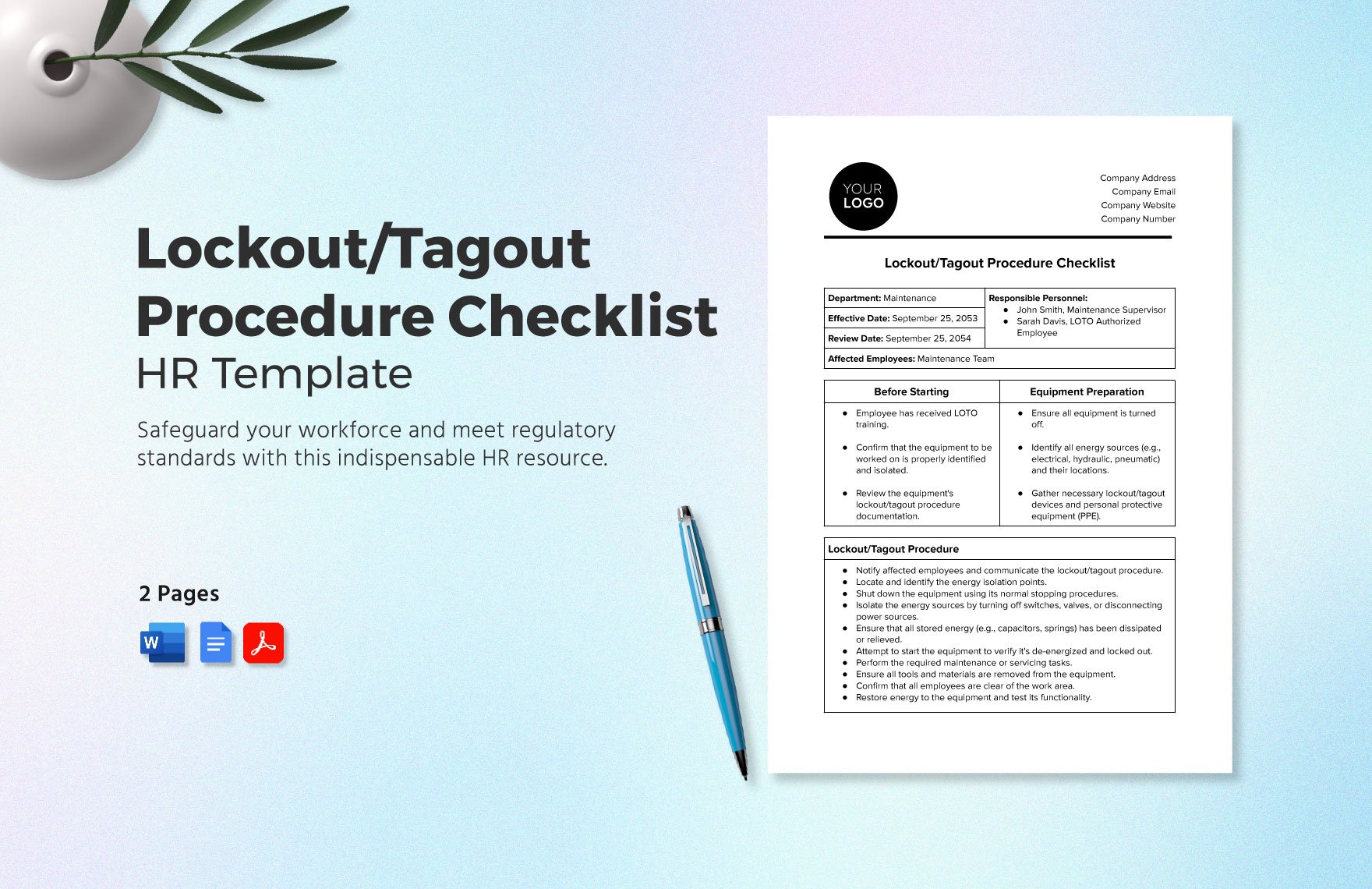
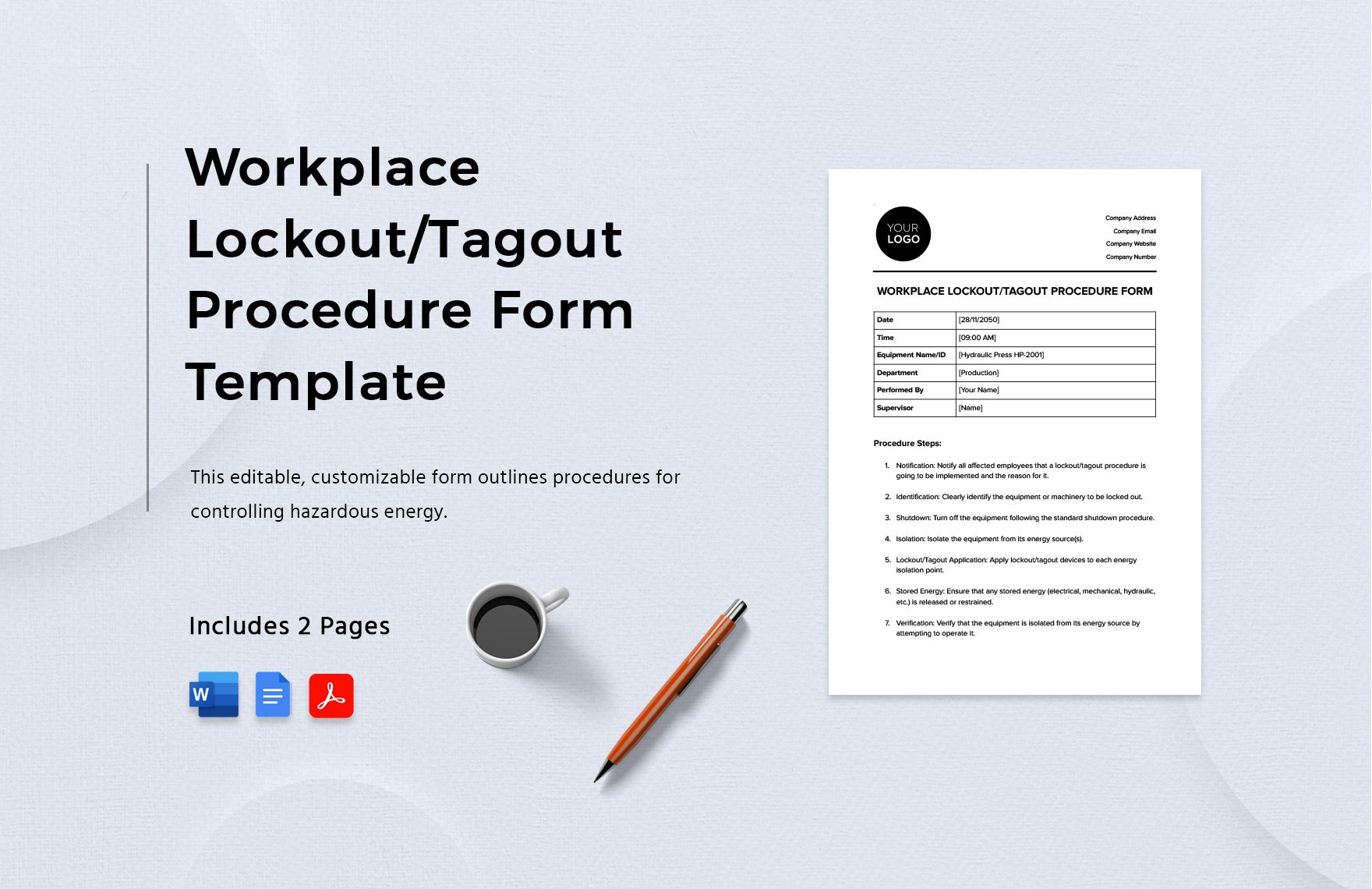
A lockout tagout procedure form is a documented, step-by-step guide that outlines how to safely shut down, isolate, lock, and tag energy sources before maintenance or servicing begins. Unlike general safety posters or training modules, the LOTO form is machine- or process-specific, meaning every piece of equipment with hazardous energy potential should have its own form.
It’s not a one-size-fits-all template. A form for a conveyor system in a packaging plant will differ from one used on a hydraulic press or electrical panel. The form ensures that every authorized employee follows the same verified sequence every time—regardless of experience level.
Key components typically include: - Equipment identification (name, ID number, location) - Type and source of hazardous energy (electrical, pneumatic, chemical, thermal, etc.) - Step-by-step shutdown sequence - Isolation points (valves, breakers, disconnects) - Lock and tag placement instructions - Verification of zero energy state - List of authorized personnel - Sign-off sections for application and removal
Without this form, even trained workers can miss a critical valve or assume power is off when it isn’t.
Why the LOTO Form Is More Than a Compliance Checkbox
OSHA standard 29 CFR 1910.147 requires employers to have written energy control procedures. That means you can’t rely on memory, verbal instructions, or “how we’ve always done it.” The lockout tagout procedure form is your proof of compliance during audits.
But beyond legal necessity, the form serves three vital operational roles:
- Standardization – Eliminates guesswork. Every technician follows the same steps.
- Training aid – New workers use the form to learn safe shutdowns.
- Accountability trail – Signatures and timestamps show who locked what and when.
A manufacturing plant in Ohio reduced maintenance-related incidents by 70% within a year simply by replacing generic LOTO instructions with machine-specific forms. The difference? Clarity and consistency.
Common Mistakes That Undermine LOTO Forms
Even companies with LOTO programs in place often make critical errors that compromise their effectiveness. Watch for these:
1. Using Generic Templates A single form applied across multiple machine types ignores unique energy sources. A press may have hydraulic accumulators; a mixer might retain mechanical energy in springs. The form must reflect these differences.
2. Skipping Verification Steps The form says “verify zero energy,” but how? If it doesn’t specify using a voltage tester or pressure gauge, workers may assume instead of confirm.
3. Poor Accessibility Storing forms in a binder in the office means they’re not on the shop floor when needed. Digital versions on tablets or QR codes on equipment solve this.
4. No Review or Update Cycle Machines get upgraded. Controls change. If the LOTO form isn’t reviewed annually—or after modifications—it becomes outdated and dangerous.
5. Missing Authorized Personnel List Only trained, authorized employees should perform lockout. If the form doesn’t list them (and their contact info), accountability breaks down.
How to Build an Effective LOTO Procedure Form
Creating a strong form starts with a thorough energy audit. Walk through each machine with maintenance leads and safety officers. Document every energy source and isolation point.
Then structure the form for clarity and action.
Recommended Structure:
1. Header Section - Equipment name and ID - Location - Date created/revised - Prepared by / Reviewed by
2. Energy Sources List each: - Electrical (voltage level) - Pneumatic/hydraulic (pressure points) - Gravitational (elevated parts) - Chemical (residual lines) - Thermal (heated surfaces)
- 3. Step-by-Step Procedure Use action verbs:
- Notify affected personnel.
- Shut down equipment using the normal stop button.
- Open disconnect switch at Panel A-3.
- Close and lock isolation valve on hydraulic line (Valve #7).
- Attach personal lock and tag to both points.
- Attempt to restart (verify zero energy).
- Confirm no residual pressure using gauge at Test Port C.
4. Verification Section Include space for: - Tester used (e.g., multimeter model) - Readings recorded (e.g., 0V, 0 PSI) - Initials and timestamp
5. Release Procedure Outline how and when locks are removed: - Confirm work is complete - Clear tools and personnel - Notify affected employees - Remove locks only by the person who applied them
Real-World Example: Conveyor System LOTO
Equipment: Main Packaging Line Conveyor (ID: CON-205) Energy Sources: 480V electrical, 80 PSI pneumatic actuators
- Steps:
- Press E-Stop and notify shift supervisor.
- Switch off main disconnect at MCC Panel 4B.
- Lock disconnect with personal lock; apply tag stating “Do Not Energize – Maintenance in Progress.”
- Close air supply valve near junction box; lock in closed position.
- Bleed residual air via manual release on Cylinder A.
- Use voltage tester to confirm zero energy at motor starter.
- Attempt to restart via control panel to verify de-energized state.
Verification: Voltage = 0V, Air Pressure = 0 PSI Signed: J. Rivera, Authorized Employee #104 Time: 08:17 AM
This level of detail prevents shortcuts and ensures every hazard is addressed.
Digital vs. Paper LOTO Forms: What Works Best?
While paper forms are still common, digital solutions are gaining ground—especially in facilities with high equipment turnover or distributed teams.
| Feature | Paper Forms | Digital Forms |
|---|---|---|
| Accessibility | Limited to physical location | Accessible via mobile/tablet |
| Updates | Slow, manual revisions | Instant sync across devices |
| Audit trail | Handwritten logs | Timestamped digital records |
| Integration | None | Can link to CMMS or EAM systems |
| Training support | Static | Can embed videos or diagrams |
Digital doesn’t mean automatic. The form must still be accurate and specific. But platforms like Frontline, Safesite, and EHS Insight allow technicians to pull up interactive LOTO procedures on-site, complete checklists, and submit verification in real time.
For companies with 50+ machines, digital forms reduce errors and improve compliance tracking. For smaller operations, well-organized binders with laminated forms may suffice—if they’re maintained.
Top 5 Digital LOTO Form Platforms For organizations moving beyond paper, these platforms streamline LOTO procedure form management:
- Safesite
- - Mobile-first interface with pre-built LOTO templates
- - Real-time sign-offs and photo documentation
- - Ideal for field services and construction
- Frontline Safety (now part of VelocityEHS)
- - Industry-specific LOTO workflows
- - Integration with training records
- - Strong audit reporting
- EHS Insight
- - Custom form builder for machine-specific procedures
- - Automated reminders for annual reviews
- - Cloud-based access across sites
- Proteus
- - Combines LOTO with work order and asset management
- - QR code scanning for instant form access
- - Best for manufacturing and utilities
- iAuditor by SafetyCulture
- - Flexible checklist design
- - Offline mode for remote areas
- - Free tier available for small teams
Each platform reduces the risk of using outdated forms and strengthens enforcement through digital accountability.
Making LOTO Forms Part of Daily Workflow
The best form is useless if it’s not used. Integrate it into standard operating procedures:
- Pre-job briefings should include LOTO form review.
- Supervisors verify form use before approving maintenance.
- Audits randomly check completed forms for accuracy.
- New hires must demonstrate form use during onboarding.
One plant manager mandates that no tools touch equipment until the LOTO form is fully signed and posted. It’s a small delay that prevents big accidents.
Also, empower workers to stop work if the form is missing or unclear. A culture of safety means questioning procedures—not blindly following them.
Final Check: Is Your LOTO Form Up to Standard?
Before relying on your current forms, ask: - Is it machine-specific? - Does it list every energy source? - Are isolation points clearly identified? - Does it include verification steps with tools specified? - Is it accessible at the point of use? - Has it been reviewed in the last 12 months?
If any answer is “no,” update it now. A single outdated form can lead to catastrophic failure.
The lockout tagout procedure form isn’t bureaucracy. It’s a lifeline. Treat it with the seriousness it deserves—because someone’s safety depends on it.
Implement one clear, accurate, accessible form per machine. Train consistently. Audit regularly. And make zero energy not just a goal, but a guaranteed outcome.
FAQ
What should a lockout tagout procedure form include? It must list equipment details, all energy sources, step-by-step shutdown and isolation steps, verification methods, and sign-off sections for authorized personnel.
Who fills out the LOTO procedure form? Authorized employees—typically trained maintenance technicians—complete and sign the form during each lockout event.
How often should LOTO forms be reviewed? OSHA requires annual inspections. However, review immediately after equipment changes, incidents, or near misses.
Can you use the same LOTO form for multiple machines? Only if the machines are identical in design, energy sources, and control points. Otherwise, each machine needs a unique form.
What’s the difference between lockout and tagout? Lockout uses a physical lock to prevent energizing. Tagout uses a warning tag. Lockout is preferred; tagout alone is only acceptable when a lock can’t be applied.
Do all employees need to understand the LOTO form? Affected employees (those operating or working near equipment) must understand when lockout is in progress. Only authorized employees perform the procedure.
Can digital LOTO forms comply with OSHA? Yes, as long as they are equivalent in detail, accessible during use, and include required sign-offs and verification steps.
FAQ
What should you look for in Lockout Tagout Procedure Form Essentials and Best Practices? Focus on relevance, practical value, and how well the solution matches real user intent.
Is Lockout Tagout Procedure Form Essentials and Best Practices suitable for beginners? That depends on the workflow, but a clear step-by-step approach usually makes it easier to start.
How do you compare options around Lockout Tagout Procedure Form Essentials and Best Practices? Compare features, trust signals, limitations, pricing, and ease of implementation.
What mistakes should you avoid? Avoid generic choices, weak validation, and decisions based only on marketing claims.
What is the next best step? Shortlist the most relevant options, validate them quickly, and refine from real-world results.